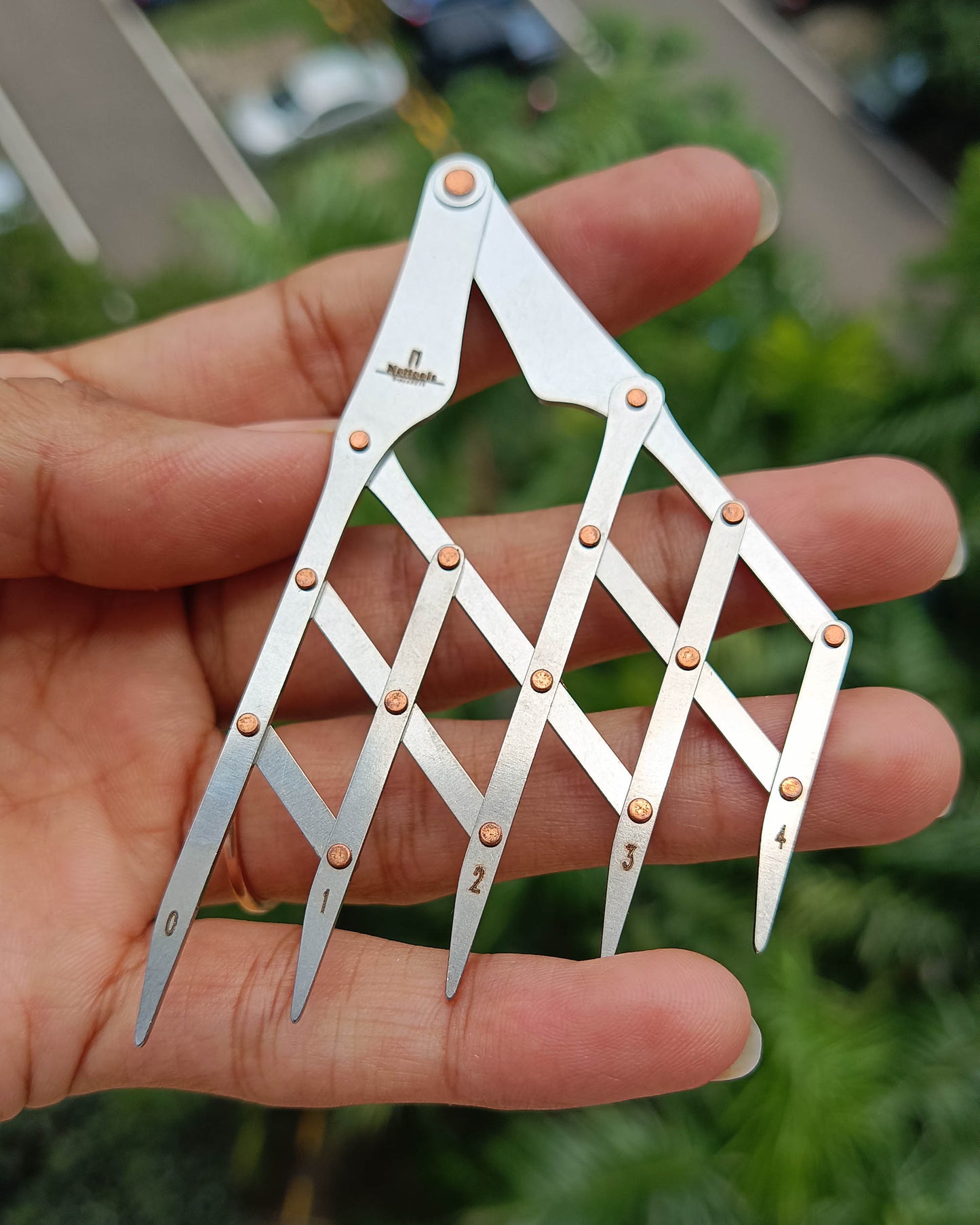


Nattools Isometric Adjustable Spacing Divider
Nattools Isometric Adjustable Spacing Divider
Couldn't load pickup availability
A precision isometric adjustable spacing divider designed for creating evenly distributed reference points and layout markings on leather and other materials. The 5-tooth configuration allows quick, repeatable marking across straight or angled sections, making it a practical layout tool for stitching alignment and geometric pattern work.
Purpose & Function
This tool is used to transfer equal spacing across a surface without measuring each interval individually. The adjustable mechanism allows you to fine-tune spacing within a wide range, while the five teeth mark multiple points simultaneously for faster and more consistent layout work.
✓ Creates evenly spaced reference marks in a single pass
✓ Adjustable marking range for flexible project requirements
✓ Helps maintain symmetry and stitch consistency
Product Specifications
| Specification | Value |
|---|---|
| Brand | Nattools |
| Overall Length | 86.5 mm (Small) |
| Number of Teeth | 5 |
| Minimum Marking Distance | 2.5 mm |
| Maximum Marking Distance | 25 mm |
| Tip Style | Angled marking tips |
| Function | Adjustable spacing divider / layout tool |
| Construction | Stainless Steel |
Applications
- Pre-marking stitch alignment before using pricking irons
- Laying out decorative geometric designs
- Dividing lengths into equal sections
- Creating consistent spacing for rivets, holes, or stitch lines
- Pattern drafting and prototyping
Share